← Help & support
Grown-ups

Watch a page for changes

Rumpus checks a page on a schedule and speaks up only when something changes: a price drop, a permit opening, a date posted.

Set one up

  1. Open the ☰ menu, tap Watching, then + Set one up.
  2. Give it a name, paste the page to watch, and say what to check, like “the current price” or “whether reservations are open.”
  3. Choose how often, then tap Create & check now. Rumpus checks once straight away so you can see what it found.
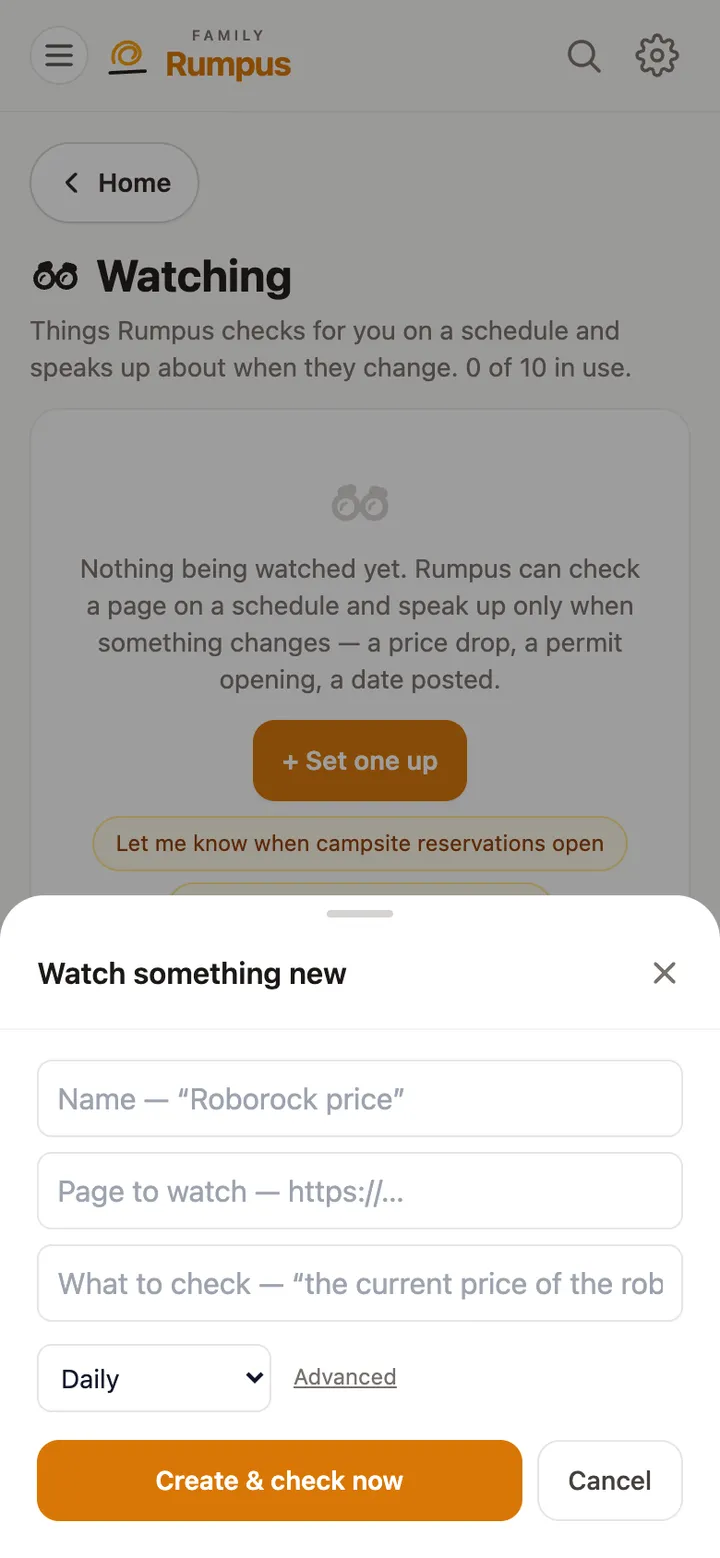
The Watch something new sheet: name, page to watch, what to check, and how often

Or just ask

  1. In chat, say something like “Let me know when campsite reservations open,” with the page’s link. Rumpus sets up the watch for you.
  2. When something changes, you get a notification saying what’s different.