← Help & support
Everyone

Notifications and quiet hours

Choose what Rumpus tells you about, on each device, and when it should stay quiet.

Turn them on

  1. Open Settings, then Notifications, and tap Enable. Allow them when your device asks.
  2. Do this on each phone, tablet or computer you want them on.
  3. On iPhone, if you said no before, turn them on in the iPhone’s own Settings, under Notifications, Rumpus.
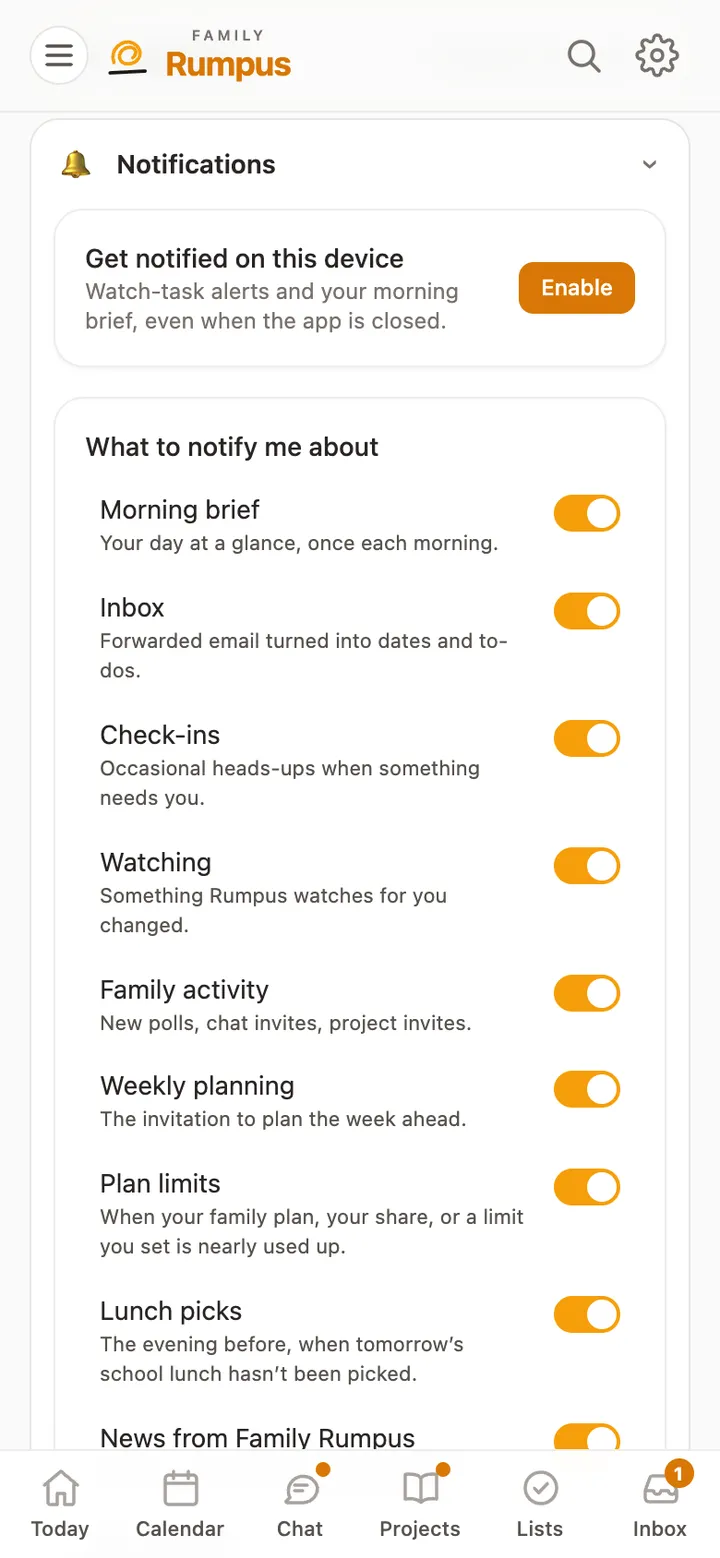
Notification settings: Enable on this device, and a switch for each kind of notification

Choose what, and when

  1. Under What to notify me about, switch each kind on or off: Morning brief, Inbox, Check-ins, Watching, Family activity, Weekly planning, Lunch picks and more.
  2. Set Quiet hours for the times you’d rather not hear from Rumpus.