← Help & support
Parents

Parental controls

Decide what each child can use, set ground rules Rumpus follows with them, and read their chats when you need to.

Choose what each child can use

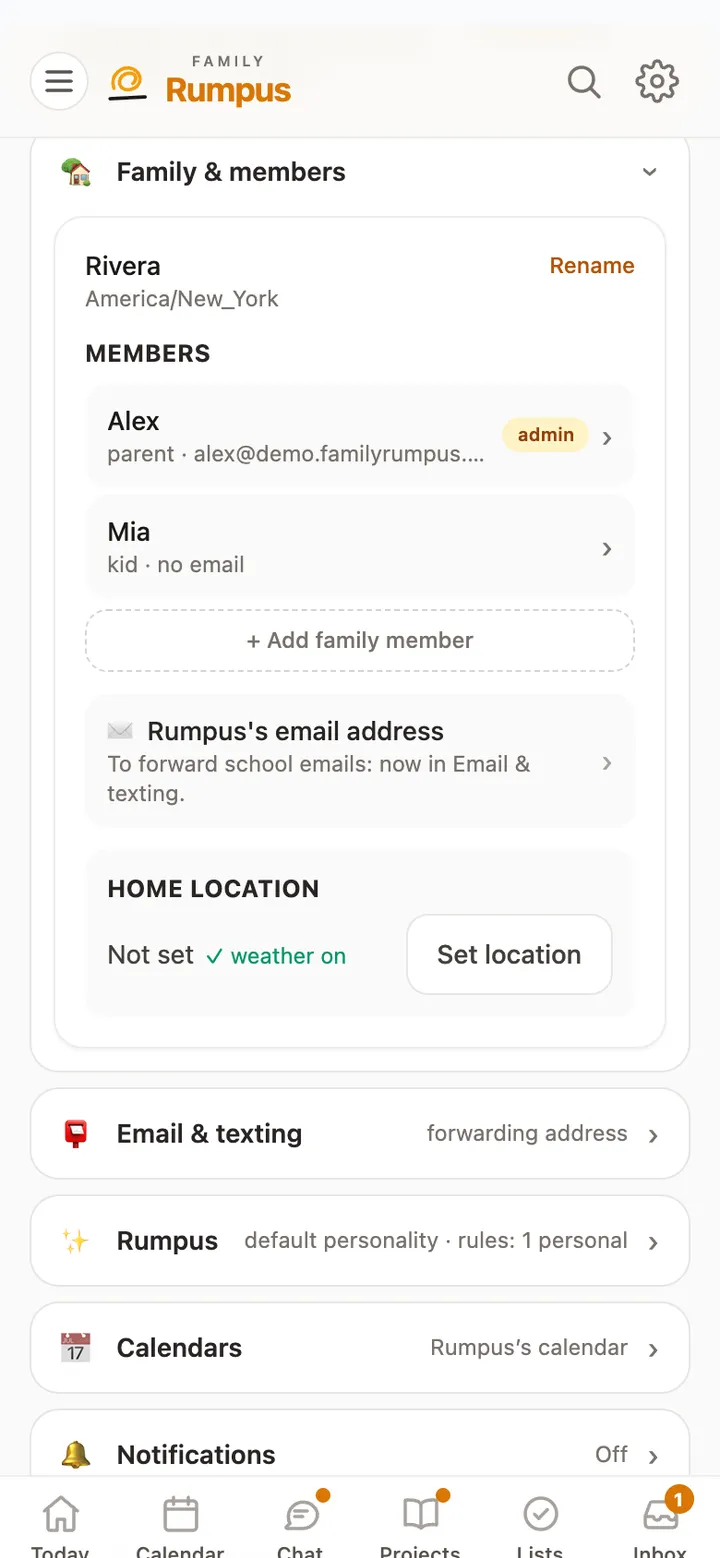
  1. Open Settings, then Family & members, and tap a child’s name.
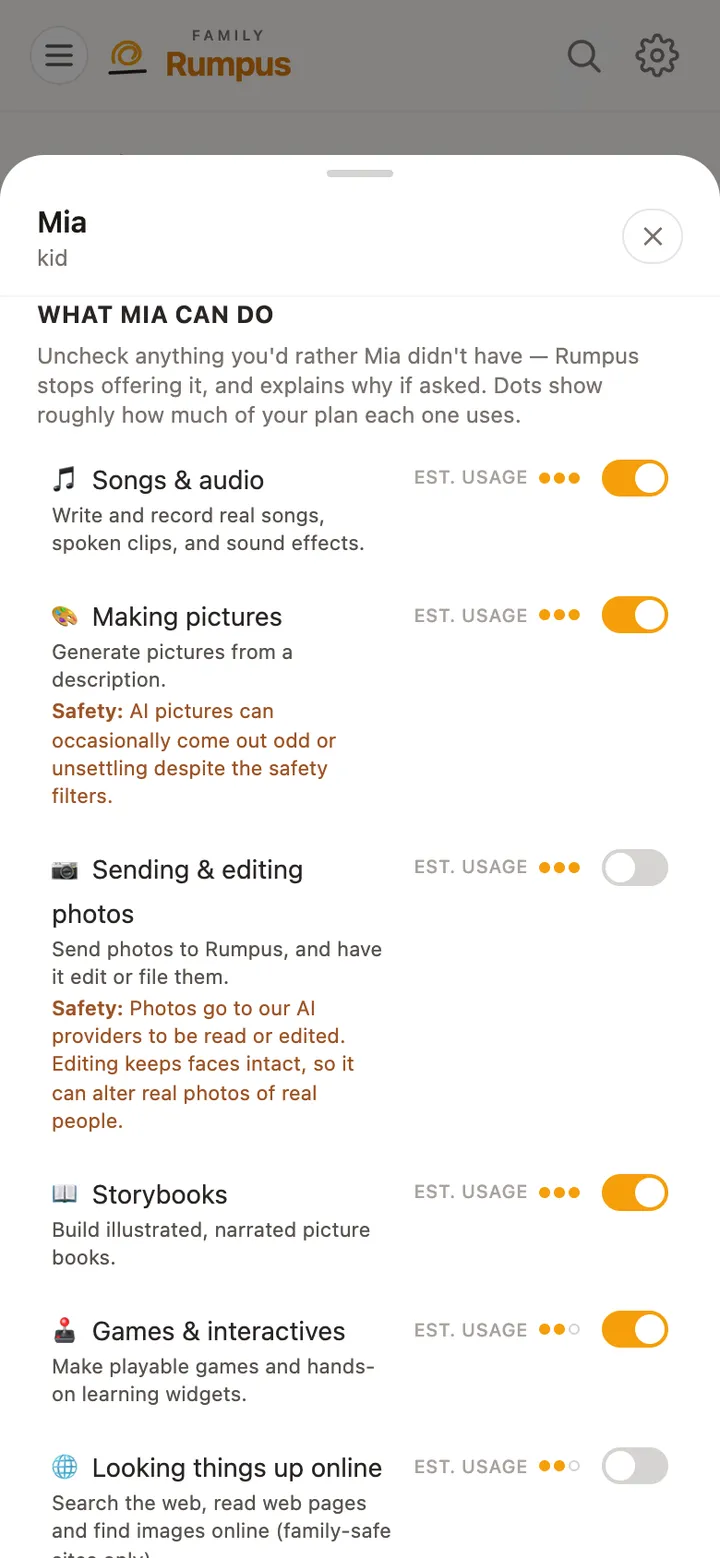
  2. Under What Mia can do (with your child’s name), each switch turns a feature on or off for that child: Songs & audio, Making pictures, Sending & editing photos, Storybooks, Games & interactives, Looking things up online and more.
  3. A switch takes effect straight away.
What Mia can do: a switch for each feature, such as Making pictures and Looking things up online

Ground rules and check-ins

  1. Open the ☰ menu, tap Kids, then the child’s name, and scroll to Parent controls.
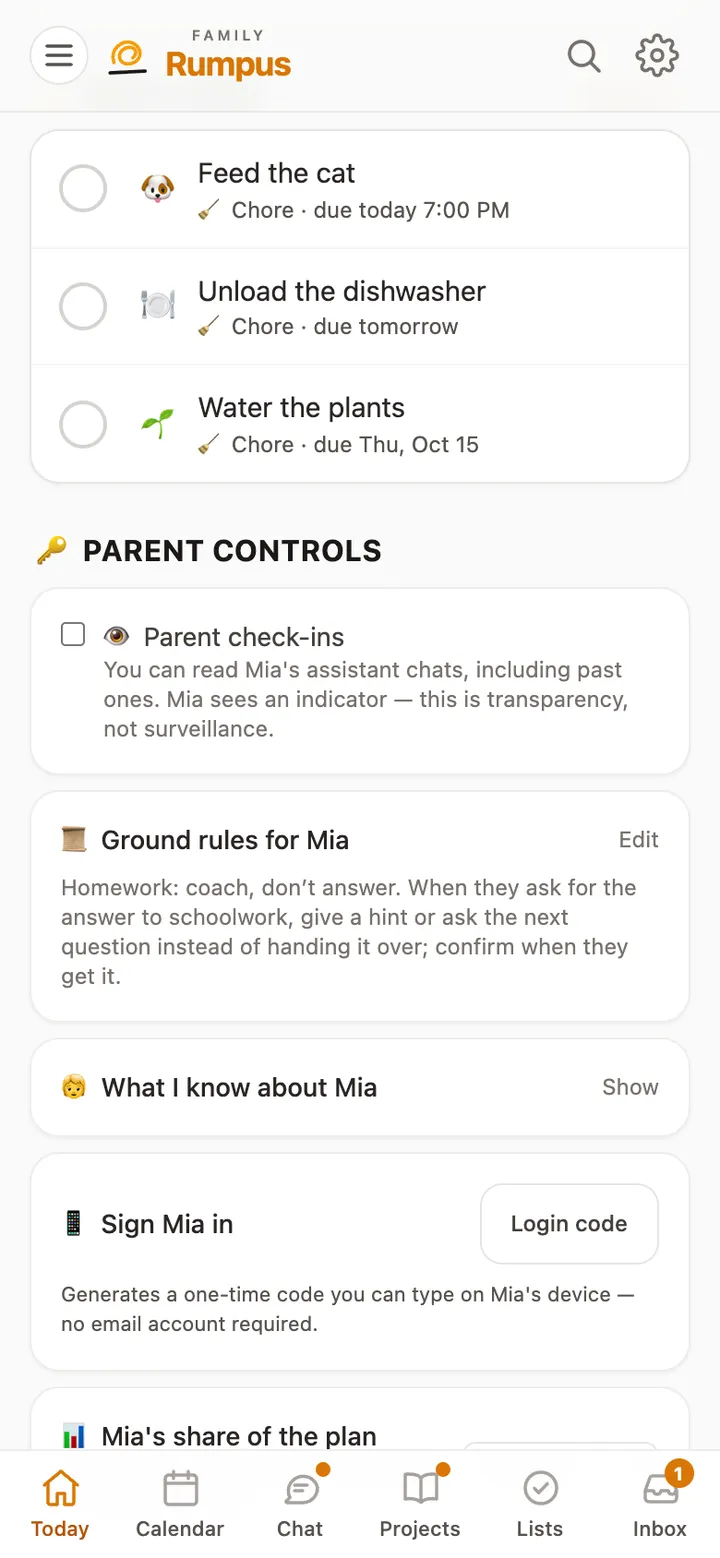
  2. Ground rules are instructions Rumpus follows with that child, like “No scary stories at bedtime.”
  3. Parent check-ins let you read the child’s chats with Rumpus, past ones included. Turning them on takes a code we email you, and the child can see that check-ins are on.
  4. What I know about Mia shows what Rumpus remembers about the child.

Grown-ups decide everything a child can use. A child can’t change their own switches.

Mia’s page: Parent check-ins, Ground rules for Mia, and What I know about Mia