← Help & support
Everyone

Lists, chores and to-dos

Shared lists for the house, chores that repeat, and swapping who does one just this once.

Make a list and add to it

  1. Open Lists at the bottom of the screen and tap New list. New lists are shared with the house unless you say otherwise.
  2. Add items, then tap one to give it a due date, who it’s for, or a repeat: Daily, Weekdays, Weekly, Every 2 weeks or Monthly.
  3. Or just tell Rumpus: “Add feed the cat to Mia’s chores, every day.”
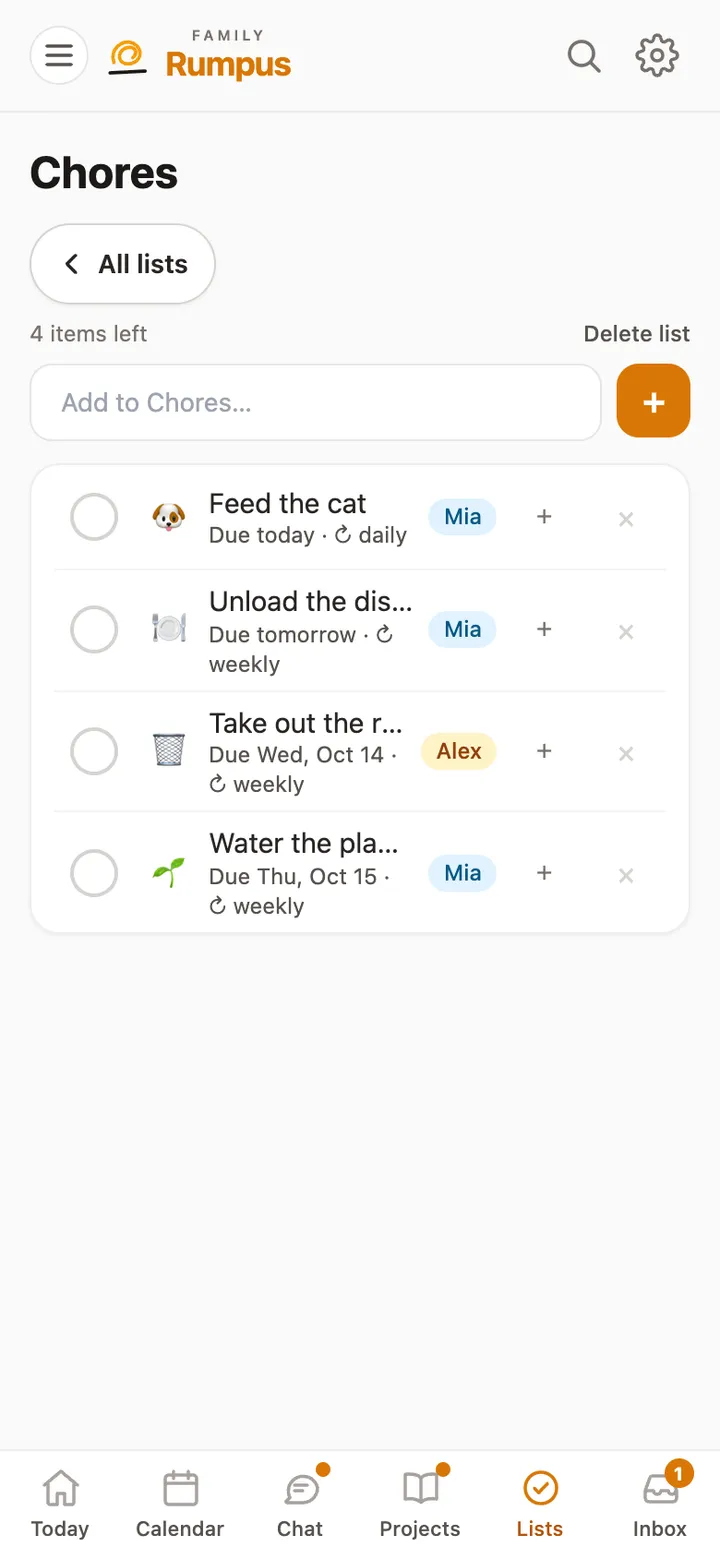
The Chores list: Feed the cat, Unload the dishwasher, Take out the recycling and Water the plants, each with who it’s for

Swap who does a chore, once

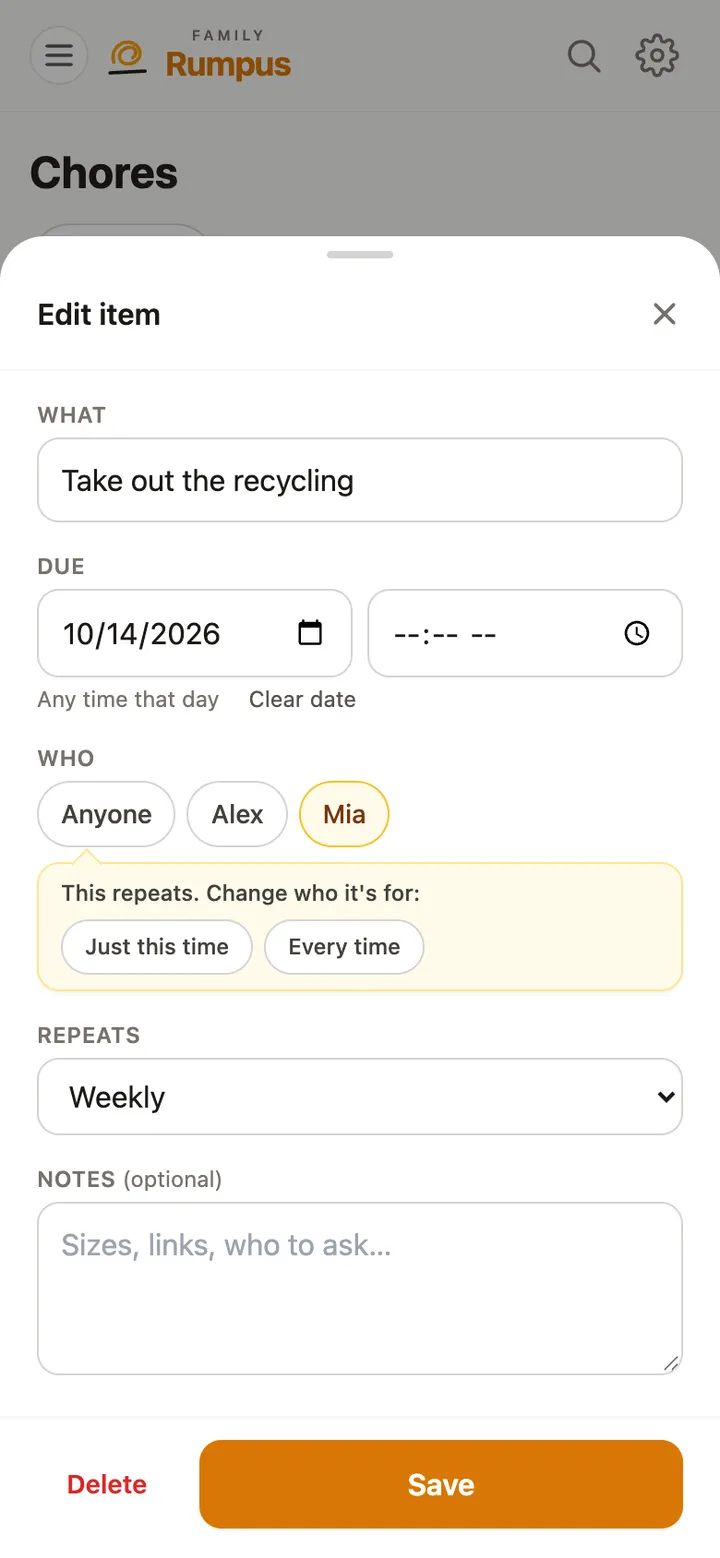
  1. Tap the chore and pick someone else under Who.
  2. If it repeats, Rumpus asks: Just this time or Every time.
  3. Tap Save.
Editing Take out the recycling: Mia picked, with the choice Just this time or Every time